VoucherOS

Property management

From the signed lease to the deposit going back

Leases and their state rules, security deposits, repairs with your vendors, walkthroughs and condition reports, the tenant portal and your staff.
Leases, checked against your state

  • Enter the lease as signed: rent, deposit, due day, grace period and late fee. The form shows your state's rules beside the fields and refuses terms over them.
  • Late-fee caps and waiting periods, and deposit limits, for North Carolina and Maine. More states are on the way.
  • A renewal takes over from the lease before it on its start date, with its balance and deposit. A new tenant never inherits the last tenant's balance.
  • Most leases hold over, so a lease past its end date keeps charging rent until you end it.
  • A month charged at the wrong amount is fixed with Correct Amount, which adds the difference as a new entry.
  • Keep the signed lease and other documents on the lease, the property, a case or an inspection.
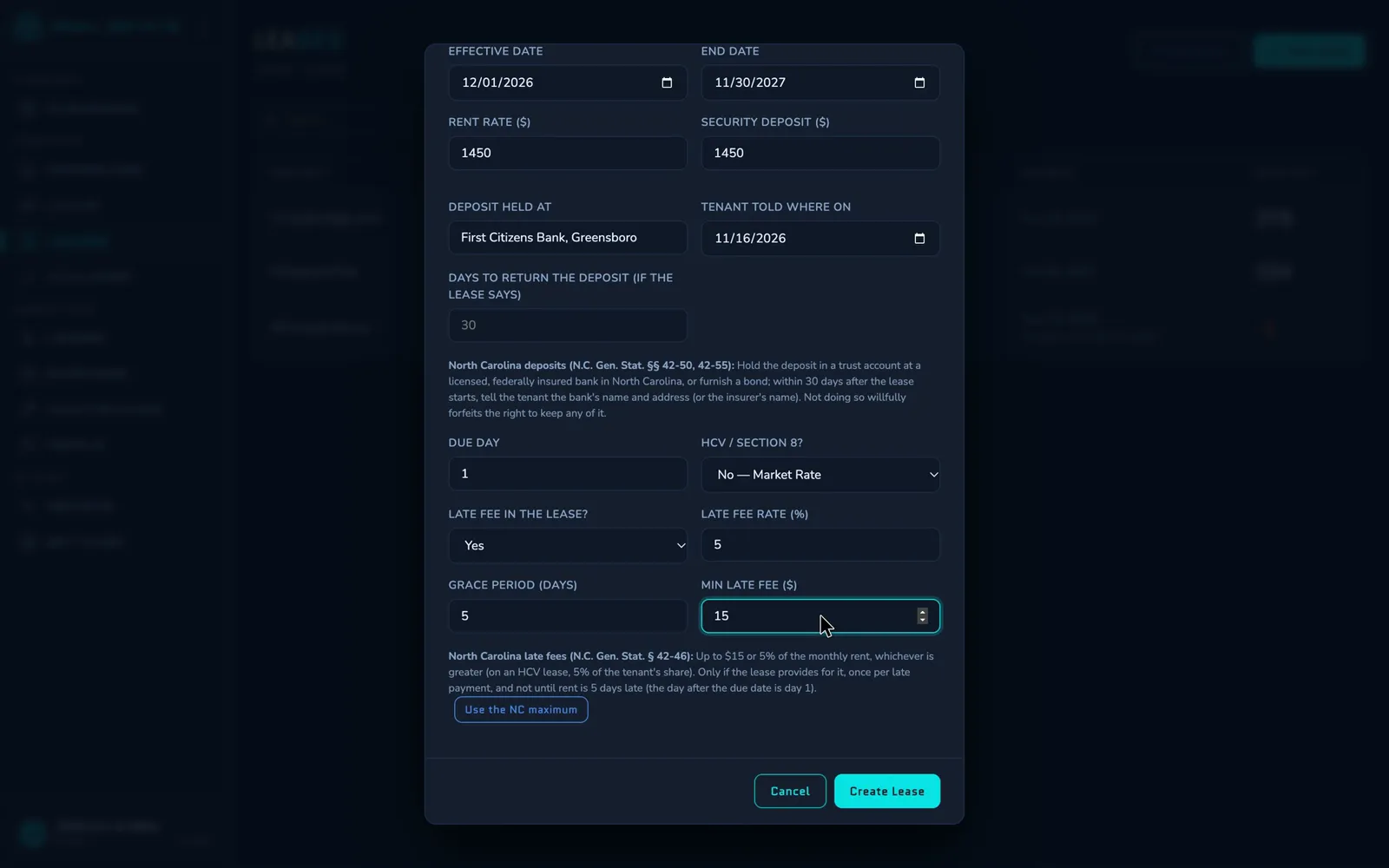
The new lease form: dates, rent, deposit, where the deposit is held and when the tenant was told, the due day, and the late fee, with North Carolina's deposit and late-fee rules shown under the fields.

Security deposits

  • Record where the deposit is held and when the tenant was told. In North Carolina, you're reminded on days 25 and 30 if you haven't recorded telling them.
  • Return Deposit lists the deductions, applies part of the deposit to unpaid rent or damage and refunds the rest.
  • The state's deadline counts from the day the keys came back. You're reminded a week before it and on it, then weekly for eight weeks while the deposit is still held.
  • Costs you charged to the deposit when you logged them as expenses start the list of deductions.
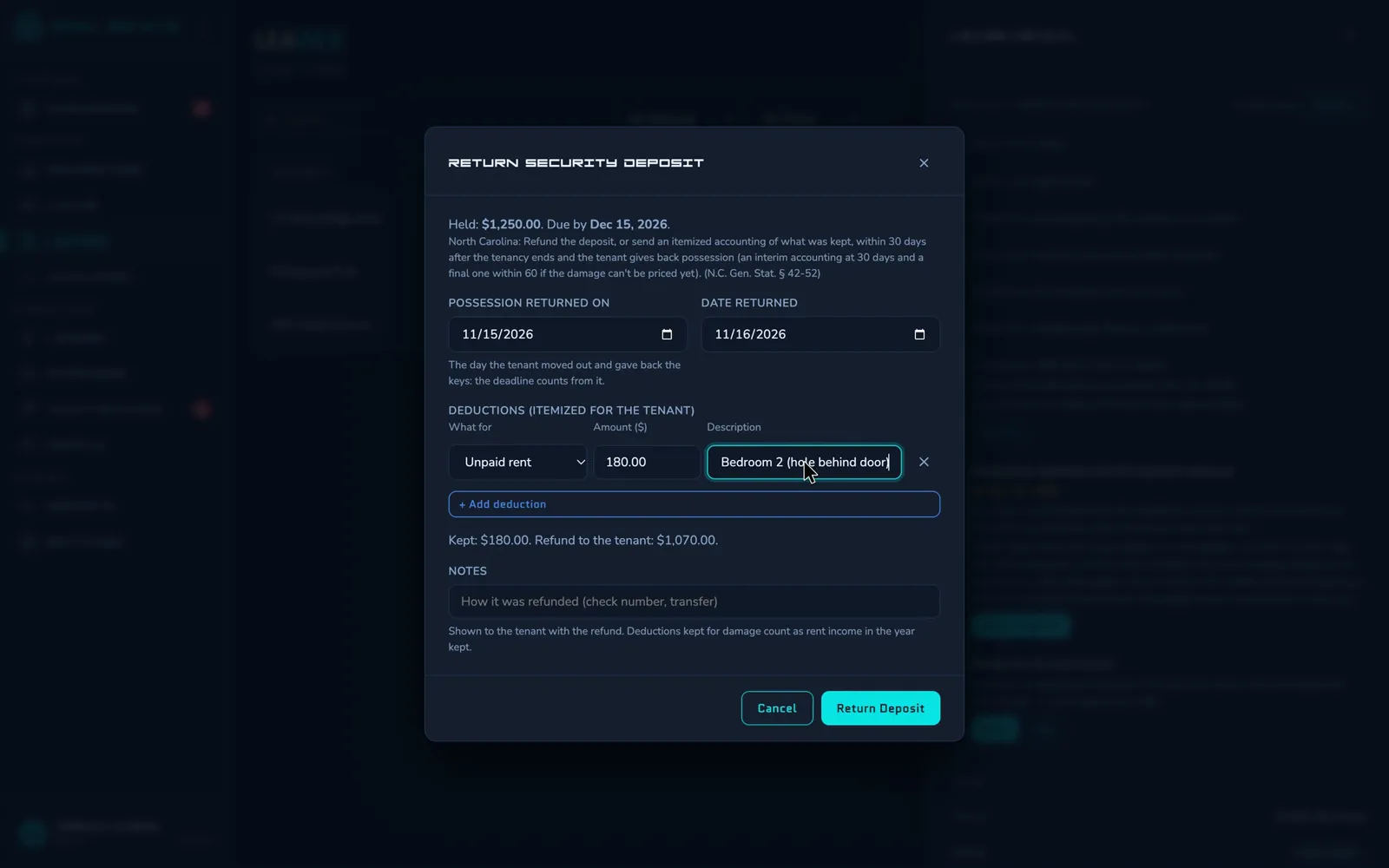
The Return Security Deposit form: the deposit held and its deadline, the day possession was returned, an itemized deduction for unpaid rent, and the refund to the tenant.

Repairs from request to receipt

  • Tenants send requests and questions with photos from the tenant portal, or by email to an address you set up.
  • Send a case to a vendor: they get the details by email, and their replies land on the case's timeline.
  • Schedule the visit and email the tenant a notice of entry.
  • Response and resolution targets for each priority, and a daily email listing the cases past them.
  • Close a case with its cost, and the expense is logged against the property. Bill the tenant for damage they caused, and it goes on their ledger.
  • The Maintenance report shows a year's cases: how fast they were answered and fixed, what they cost, repeat problems and the vendors used.
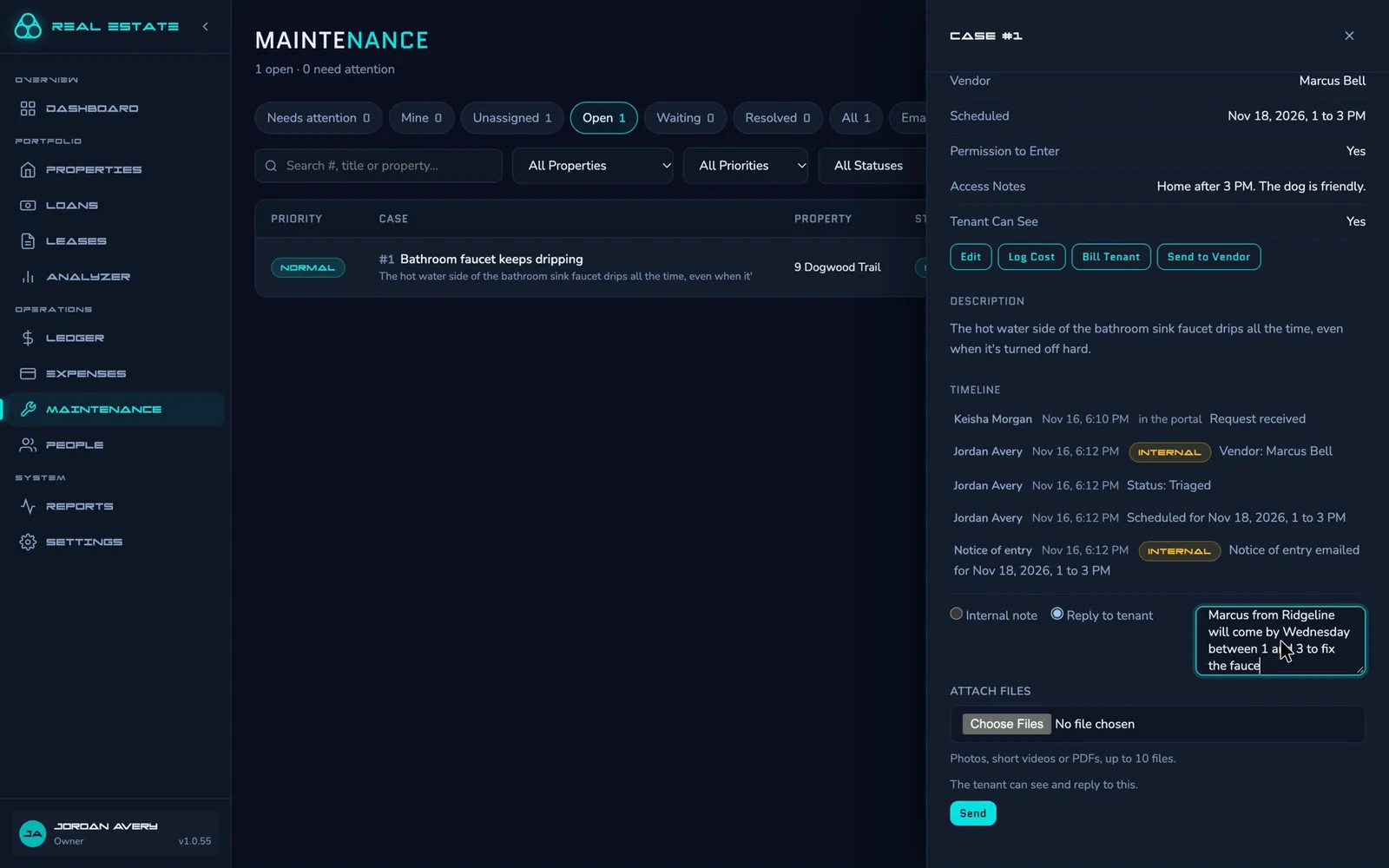
A maintenance case for a dripping faucet with its vendor, scheduled visit and timeline, and a reply to the tenant being written.

Walkthroughs and condition reports

  • Tenants record each room's condition, with photos, when they move in and when they move out.
  • For a move-out, or before a housing inspection, walk the unit room by room yourself, or send a vendor a private link that works on their phone.
  • The vendor's page shows the unit and your checklist, never the tenant's name or the lockbox code.
  • Each room that needs work becomes a repair case in one step.
  • Compare the move-out walkthrough with the tenant's move-in report side by side before you itemize the deposit.
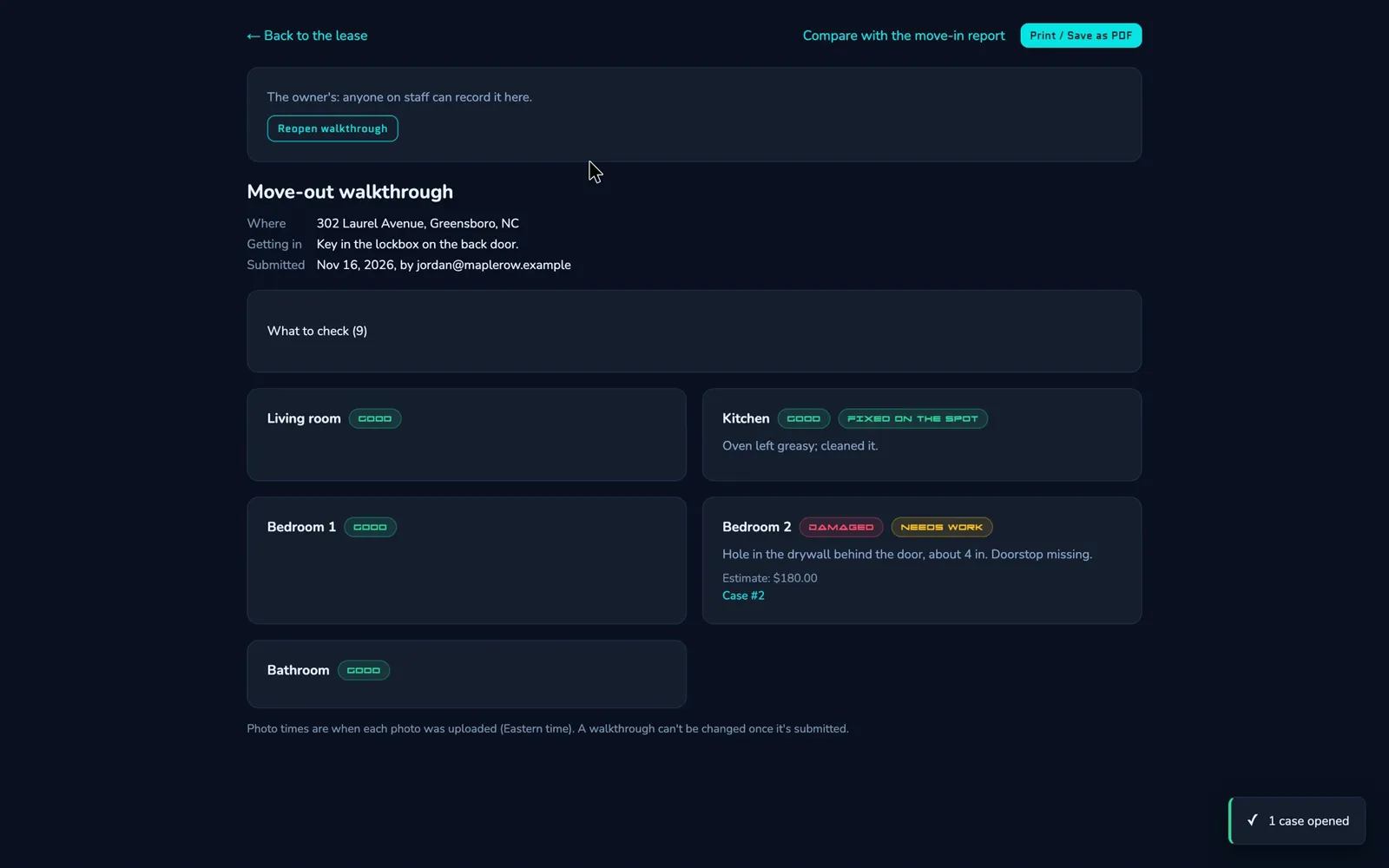
A submitted move-out walkthrough: each room with its condition, a kitchen item fixed on the spot, and a bedroom marked damaged with a note, an estimate and the case it became.

Appliances and preventive maintenance

  • Record each home's appliances with their manuals, and consumables like furnace filters and smoke detector batteries with how often they're replaced.
  • When one comes due, a preventive case opens on its own. Closing it records the replacement and sets the next date.
  • An email before a home warranty expires.
  • Write each home's Your Home page for the tenant portal: how things work, the appliance manuals and the filter sizes.

The tenant portal

Tenants sign in at their own address with a password or a passkey. You invite them from their People panel, and Preview Portal shows you what they see.

  • Their balance, charges and payments, their lease, and the documents you share.
  • Repair requests and questions with photos. They follow the replies, then confirm the fix or reopen it.
  • Their plans as the lease ends: renewing, moving out on a date, or not sure yet.
  • Their phone numbers, contact email and emergency contact, kept up to date by them.
  • Email reminders they choose: rent coming due, rent overdue, the lease ending, inspections and condition reports.
  • Announcements you post, which you can also email to current tenants.
  • Former tenants keep read-only access for the number of days you set, then it ends on its own.

Applicants and your team

Online applications

Share one link and applicants fill in the intake form themselves. It shows only your name and the units open to applicants, and starts the new-tenant checklist.

Owners and Collaborators

Collaborators work like property managers: leases, properties, expenses and the ledger. Most settings, 1098 figures and inviting staff stay with Owners.

Sign-in security

Staff sign in with a passkey, or a password plus an authenticator code. ID numbers are encrypted, and Social Security numbers are never stored.

See it with your own properties.

Request access