VoucherOS

Housing vouchers

Voucher leases, from application to reinspection

A Housing Choice Voucher lease has two payers: the tenant, and the housing authority under its HAP contract with you. The Real Estate CRM keeps each one's part of the rent apart and tracks the paperwork and inspections the program asks for.
Two balances on every voucher lease

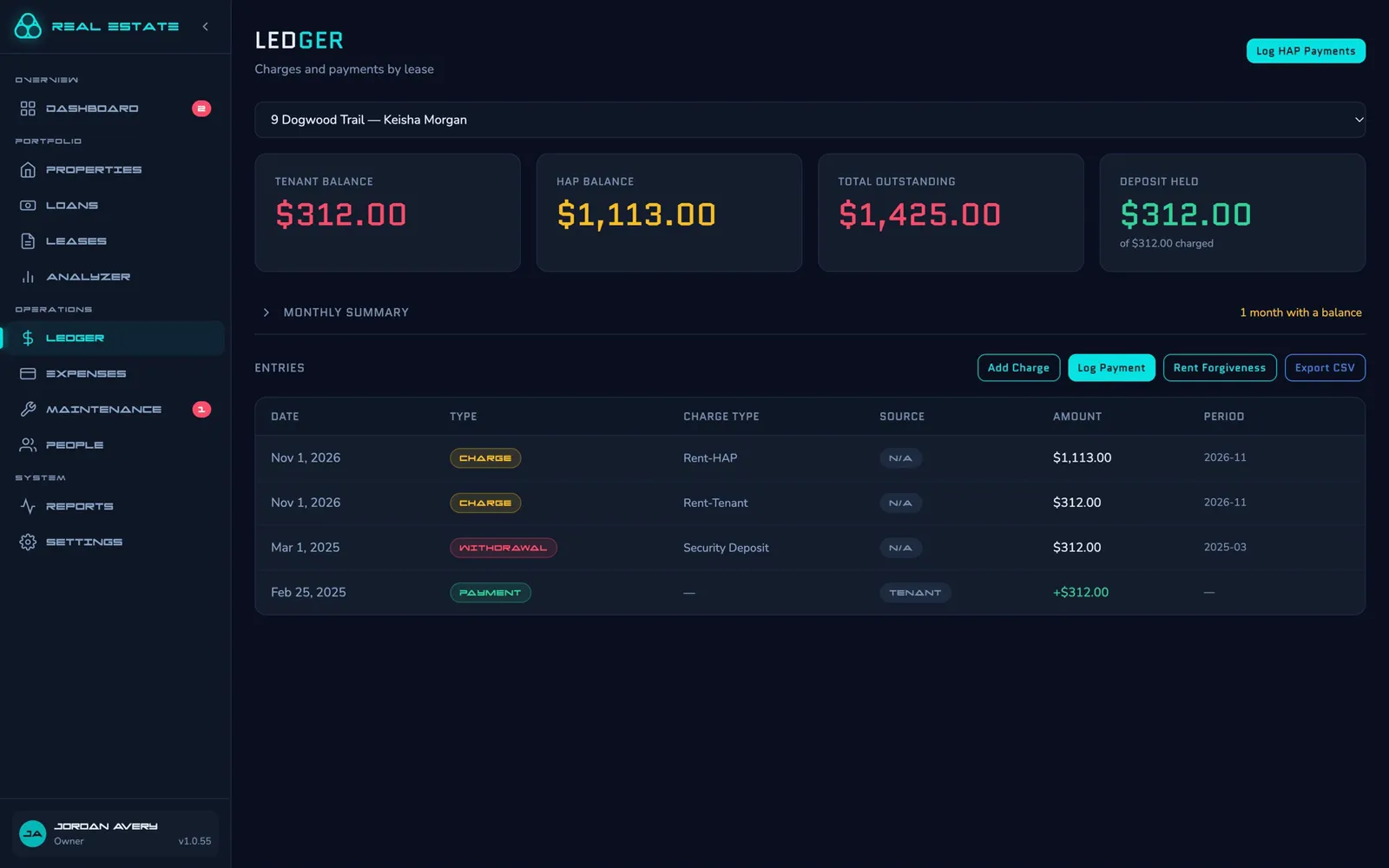
  • Each month the tenant's share and the housing assistance payment (HAP) are charged as two entries, and each payment is logged to one of them, so you always know who owes what.
  • A month is settled only when both balances are.
  • Late fees count only the tenant's share, and the state's cap is worked out on it.
  • Tenants see their own share and payments in the tenant portal. The HAP stays between you and the housing authority.
  • The ledger only grows: corrections are new entries, so the history is always there.
A voucher lease's ledger showing a tenant balance, a HAP balance, the total outstanding and the deposit held, above its charges and payments.

The housing authority's payments

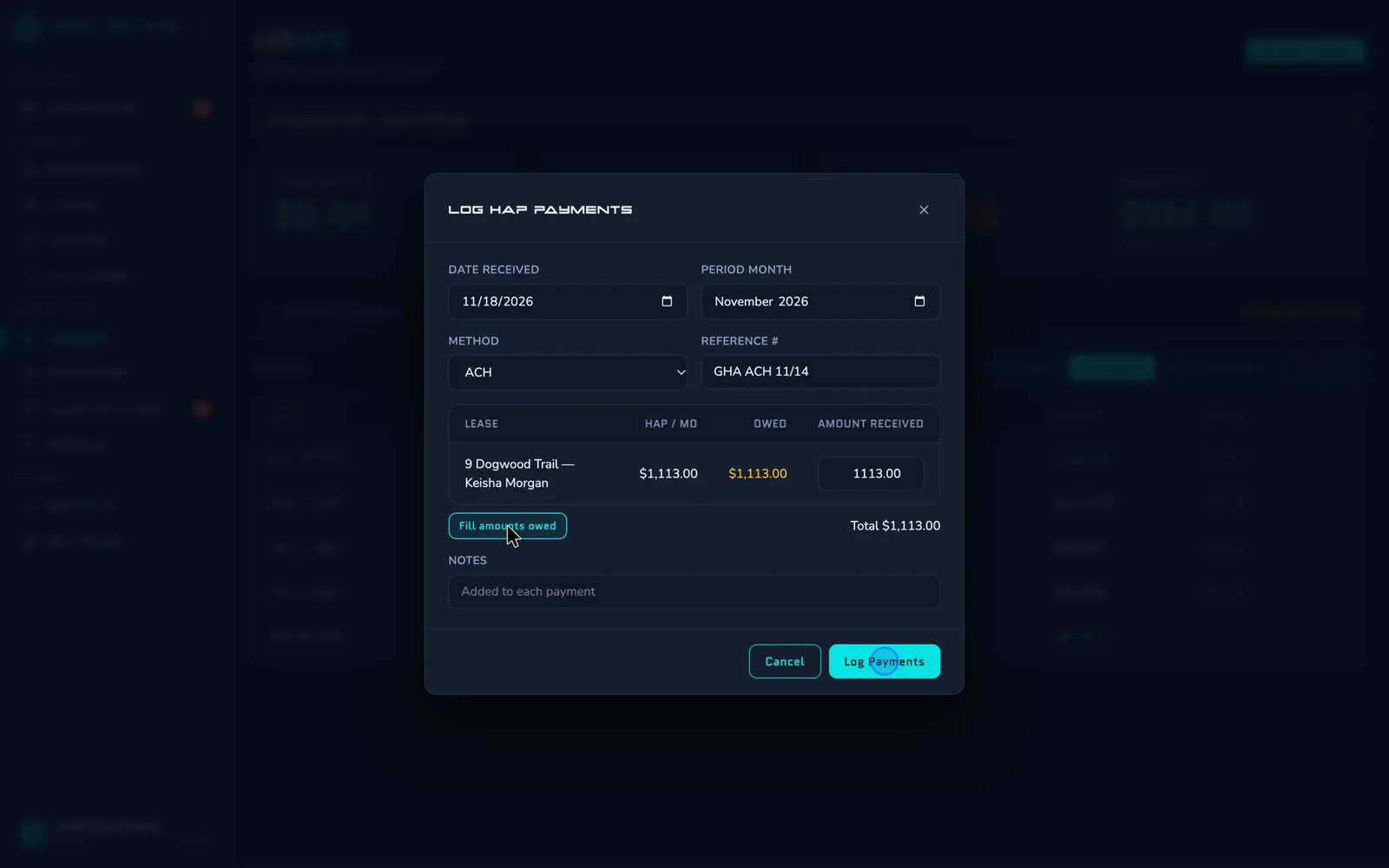
  • The housing authority pays for many leases in one deposit. Log it once: the form lists every voucher lease with its HAP owed.
  • If a HAP payment still isn't in on the day you choose (the 16th unless you change it), you get an email listing each lease and what's outstanding.
  • The dashboard shows the HAP outstanding beside what tenants owe.
  • Reports show the month's HAP and its share of your rent.
The Log HAP Payments form: the date received, the month, the method and reference, and each voucher lease with its HAP owed and the amount received.

Recertifications and rent limits

  • An email 90, 60 and 30 days before each lease's annual recertification, with the housing authority and the recertification month. You choose the days.
  • Rent over the Fair Market Rent for the home's ZIP code and bedroom count is flagged on the lease and in the Leases list. It's a reference for the housing authority's rent check, and never blocks a save.
  • The online application asks whether the applicant has a voucher, and takes the housing authority, the voucher number, bedroom size and expiration, and the two portions.
  • The new-tenant checklist adds the voucher steps when there's a voucher: the Request for Tenancy Approval and paperwork, the HAP inspection, and the signed HAP contract.
  • If the HAP contract limits the deposit below the state's limit, put its limit on the lease and deposits are held to it.

HQS and NSPIRE inspections

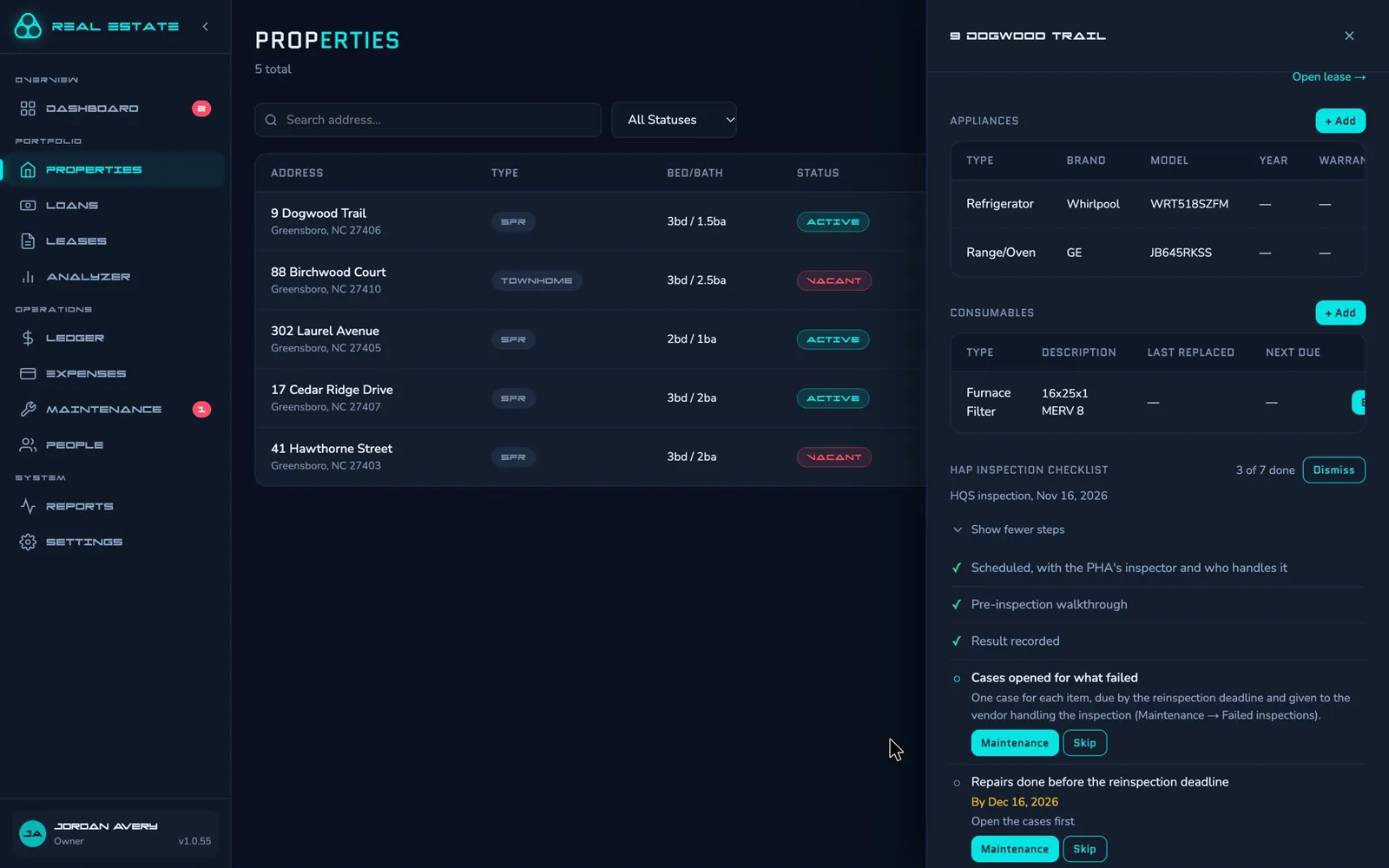
  • Schedule the inspection from the housing authority's notice and choose who handles it: you, or a vendor who then gets any repairs it fails.
  • After scheduling, its checklist has a walkthrough against your own list, so small things are fixed before the inspector comes.
  • Record a failure with its items and the reinspection deadline. From Maintenance, turn the failed items into repair cases in one step, each due by the deadline.
  • Emails 14 and 3 days before the deadline. A passed reinspection clears the failure.
  • Attach the inspector's report to the result.
A property's HAP inspection checklist after a failure: scheduled, pre-inspection walkthrough and result recorded, then cases for what failed and repairs due by the reinspection deadline.

City and agency programs

The agency as the lessee

When a housing program signs the lease itself, mark it as the paying agency. Its tenant portal login then shows the whole rent, the HAP charges and its payments.

More than one home

Someone who rents several homes through a program picks the home in the tenant portal. Reminders go out for each home.

Contacts

Housing authority contacts are kept with your people. Each voucher lease records its authority, its contact and the HAP contract number.

See it with your own properties.

Request access